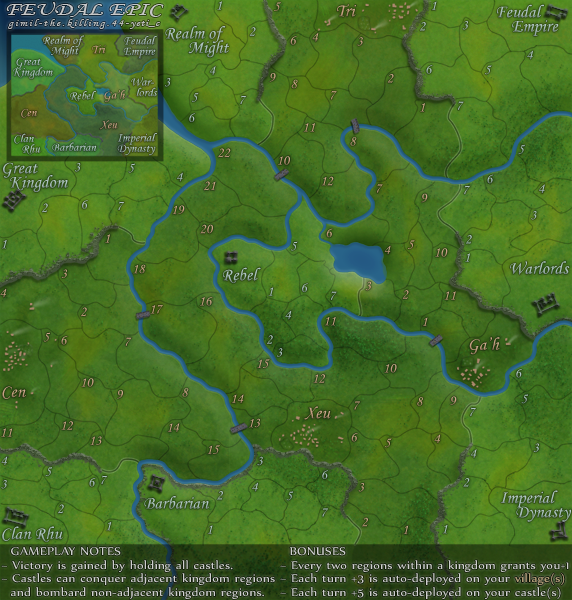
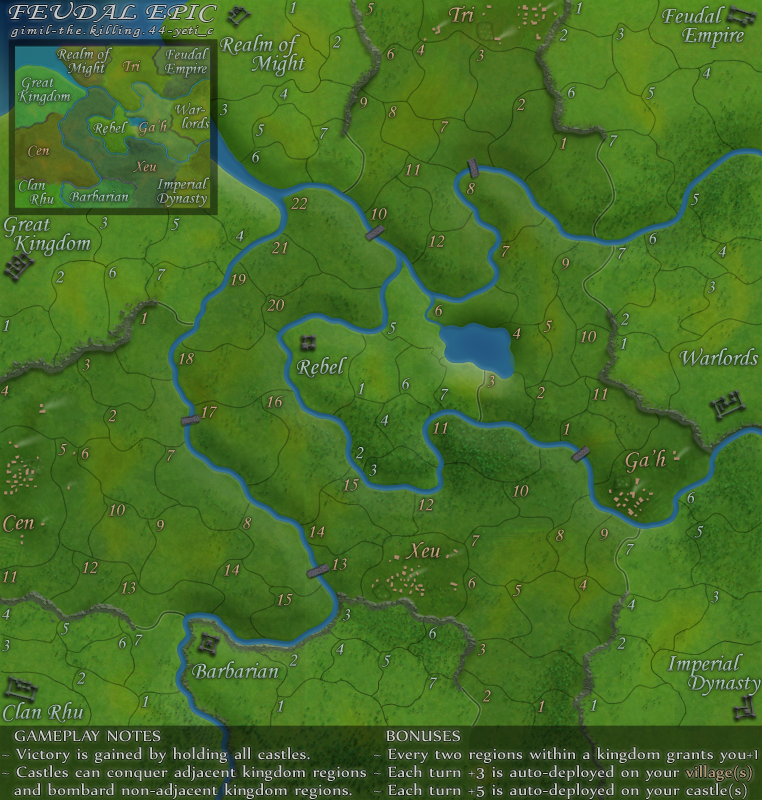
Which seems clearer to everyone?
To me everything looks a bit crisper and cleaner on the bottom one.



Moderator: Cartographers


Top Score:2403natty_dread wrote:I was wrong
Top Score:2403natty_dread wrote:I was wrong
NP. I understand. Send me the zipped files and I will take a look at it.gimil wrote:I took a look at the file and it seems the quality is perfect in the file, and it only goes blurred after I ave it as a PNG. There is nothing (as far as I know) that I can do about this.
If you want to take a look for yourself WM you are more than welcome. But I don't want to put work into this when I can't predict the results.

http://h1.ripway.com/killing44/Feudal.xmlForza AZ wrote:Just checked the last Feudal epic XML update and all is OK now.


Top Score:2403natty_dread wrote:I was wrong
But it is not that size.gimil wrote:762x800 seems pretty reasonable to me.

Top Score:2403natty_dread wrote:I was wrong
Top Score:2403natty_dread wrote:I was wrong
Like I guessedgimil wrote:Does photobucket have a size limit of images you upload? and does it resize them if they are too big? This may also explain the fuzziness WM noticed.


but, only for one imagethe.killing.44 wrote:Like I guessedgimil wrote:Does photobucket have a size limit of images you upload? and does it resize them if they are too big? This may also explain the fuzziness WM noticed.
Go to your page, and click (more options) underneath the huge Upload button. There it lets you choose what Photobucket will resize the image too if it's too large. Just do 17" screen and it's fine.
I do have to redo all the co-ords…again

Top Score:2403natty_dread wrote:I was wrong
It's the same number of clicks though =\gimil wrote:but, only for one imagethe.killing.44 wrote:Like I guessedgimil wrote:Does photobucket have a size limit of images you upload? and does it resize them if they are too big? This may also explain the fuzziness WM noticed.
Go to your page, and click (more options) underneath the huge Upload button. There it lets you choose what Photobucket will resize the image too if it's too large. Just do 17" screen and it's fine.
I do have to redo all the co-ords…again
Top Score:2403natty_dread wrote:I was wrong


Photobucket only resizes things over 1024x768 if you set it to the max, so it doesn't have impact on CC mapping. But the point stands…WidowMakers wrote:MUCH Better. That was weird. Imageshack never has never resized stuff before. Oh well we now all know a new little factoid abotu photobucket.
Large map looks great.
WM
Well a) no; b) lack does in the end.It also recompresses your JPG:s to a lower quality making them fuzzy.
Almost, I need 15 minsjammyjames wrote:all of this talk.. this means its done?
well done gimil. WM, Killing etc etc...
cant wait till this thing hits beta
you deserve one almighty pint of beerthe.killing.44 wrote:Almost, I need 15 minsjammyjames wrote:all of this talk.. this means its done?
well done gimil. WM, Killing etc etc...
cant wait till this thing hits beta
the.killing.44 wrote:http://h1.ripway.com/killing44/Feudal.xmlForza AZ wrote:Just checked the last Feudal epic XML update and all is OK now.
http://i25.photobucket.com/albums/c64/G ... picS-4.png
http://i25.photobucket.com/albums/c64/G ... picL-3.png
Can we get a co-ord check?

Whoops…right…thenobodies80 wrote:Small version:
Ga'h 4 and Ga'h 5 with 888
I can't test the large version because the sizes in the xml are wrong.
Nobodies