Graphics help <gimp>

Topics that are not maps. Discuss general map making concepts, techniques, contests, etc, here.

Moderator: Cartographers

Forum rules
Please read the Community Guidelines before posting.
Post Reply
User avatar
Merker
Posts: 124
Joined: Tue May 13, 2008 4:26 am
Gender: Male
Location: Manjimup, Australia

Graphics help <gimp>

Post by Merker »

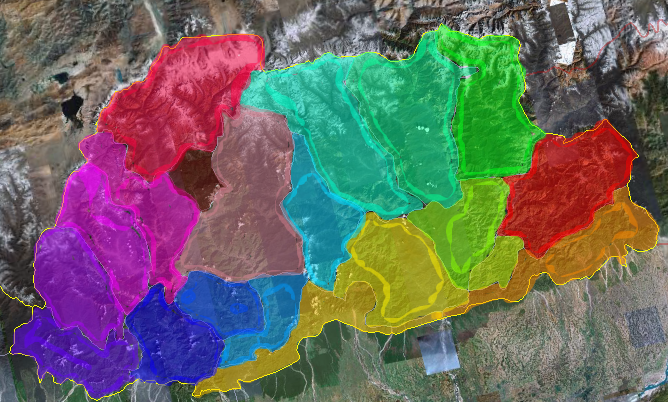
Currently, I need help to improve my graphics.
Click image to enlarge.
image
That's Bhutan, I didn't get around to making the borders and names because I need help with layers.

I want to know if there is some sort of layers organiser and if anyone can help my get some new style apart from the opacified brush.

MrBenn wrote: On an a side-note, as a child I used to have a recurring nightmare about being chased round a supermarket by a crocodile pushing a shopping trolley and wearing an "I ♥ Shopping" t-shirt...
-----Spanish Civil War: Vacationed
User avatar
thenobodies80
Posts: 5400
Joined: Wed Sep 05, 2007 4:30 am
Gender: Male
Location: Milan

Re: Graphics help <gimp>

Post by thenobodies80 »

Layers can be managed by the dockable window.

Windows--> Dockable Dialogs --> Layers.

http://docs.gimp.org/2.6/en/gimp-windows-show-dock.html

Gimp has a good guide here
You could have best results with Photoshop (a bit more skill required)

thenobodies80
Post Reply

Return to “Foundry Discussions”