Help
Play States
Play By Clickable Map
Deploy: Click on territory to deploy, choose number to deploy and click again to make deployment
Assault: Click on a territory to Assault from, then on a territory to Assault (right click to Auto Assault)
Advance: Click on conquered territory to choose to advance, choose number to advance, then click again to advance. Click on conquering territory to advance zero.
Reinforce: Click on a territory to Reinforce from, then on a territory to Reinforce to. Click again to confirm.
Play By Keyboard and Mouse
N Key: Skip to next game, Jump to next game
B Key: Begin Turn
E Key: End Deployment, End Assaults, End Reinforcement
L Key: Later (decline to play spoils)
W,S Keys: Increase/decrease troop quantity (slow)
Q,A Keys: Increase/decrease troop quantity (fast)
Mouse Wheel: Change troop quantity by scrolling over the selected region.
CTRL Key + Click: You can always use CTRL-click instead of the right mouse button.
Middle Click: To advance to next stage (Begin Turn, End Assaults, etc.) click the middle mouse button anywhere on the map.
2009-06-13 16:49:23 - Stroop: that didn't work quite as well as I hoped
2009-06-13 16:49:48 - jpcloet: nope, hot dice
2009-06-13 16:49:55 - jpcloet: 8 straight without a loss
2009-06-13 16:49:58 - jpcloet: great idea though
2009-06-13 16:50:09 - jpcloet: had you linked in a snake line though
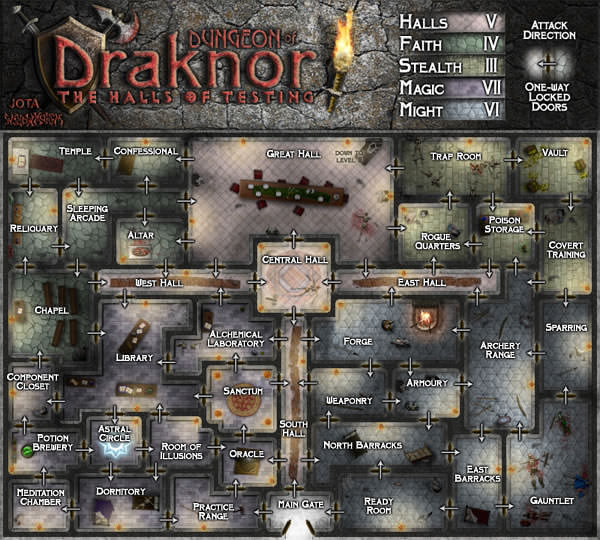
2009-06-13 16:50:34 - Stroop: had to creep towards the Stealth bonus just in case :/
2009-06-13 16:50:52 - Stroop: gg
2009-06-13 16:51:10 - jpcloet: ggs, I think I took 5 of 7?
2009-06-13 16:51:24 - jpcloet: on a hot streak lately all time high in points
2009-06-13 16:52:55 - Stroop: ahh, thought you wanted a new best-of-7 set :o
2009-06-13 16:53:06 - Stroop: but yes, 5 out of 7