Help
Play States
Play By Clickable Map
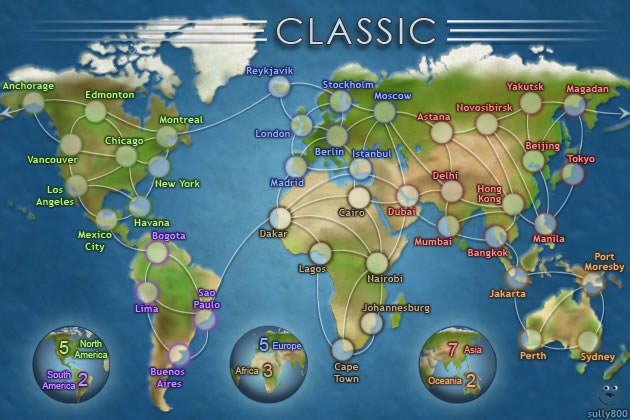
Deploy: Click on territory to deploy, choose number to deploy and click again to make deployment
Assault: Click on a territory to Assault from, then on a territory to Assault (right click to Auto Assault)
Advance: Click on conquered territory to choose to advance, choose number to advance, then click again to advance. Click on conquering territory to advance zero.
Reinforce: Click on a territory to Reinforce from, then on a territory to Reinforce to. Click again to confirm.
Play By Keyboard and Mouse
N Key: Skip to next game, Jump to next game
B Key: Begin Turn
E Key: End Deployment, End Assaults, End Reinforcement
L Key: Later (decline to play spoils)
W,S Keys: Increase/decrease troop quantity (slow)
Q,A Keys: Increase/decrease troop quantity (fast)
Mouse Wheel: Change troop quantity by scrolling over the selected region.
CTRL Key + Click: You can always use CTRL-click instead of the right mouse button.
Middle Click: To advance to next stage (Begin Turn, End Assaults, etc.) click the middle mouse button anywhere on the map.
2010-01-03 16:11:22 - warmonger1981: gl
2010-01-03 16:14:15 - Rowney: iam quitting 'CC' for good , the points are yours , sorry but i want players to get my points
2010-01-03 16:16:57 - warmonger1981: why you quitting???
2010-01-03 16:18:25 - warmonger1981: if this is the case i have all day to do so. :)
2010-01-03 16:18:42 - Rowney: sick of a load of stuff, heck out the forum piece i wrote on suggs and buggs,. lol
2010-01-03 16:21:31 - warmonger1981: well i cant win a fereaking roll against your singles
2010-01-03 16:23:05 - warmonger1981: gg you win
2010-01-03 16:23:20 - Rowney: i cant believe it, iam just pressing attack
2010-01-03 16:24:07 - warmonger1981: try attacking neutrals i would like that