Help
Play States
Play By Clickable Map
Deploy: Click on territory to deploy, choose number to deploy and click again to make deployment
Assault: Click on a territory to Assault from, then on a territory to Assault (right click to Auto Assault)
Advance: Click on conquered territory to choose to advance, choose number to advance, then click again to advance. Click on conquering territory to advance zero.
Reinforce: Click on a territory to Reinforce from, then on a territory to Reinforce to. Click again to confirm.
Play By Keyboard and Mouse
N Key: Skip to next game, Jump to next game
B Key: Begin Turn
E Key: End Deployment, End Assaults, End Reinforcement
L Key: Later (decline to play spoils)
W,S Keys: Increase/decrease troop quantity (slow)
Q,A Keys: Increase/decrease troop quantity (fast)
Mouse Wheel: Change troop quantity by scrolling over the selected region.
CTRL Key + Click: You can always use CTRL-click instead of the right mouse button.
Middle Click: To advance to next stage (Begin Turn, End Assaults, etc.) click the middle mouse button anywhere on the map.
2010-02-19 20:21:57 - jackal31: good luck
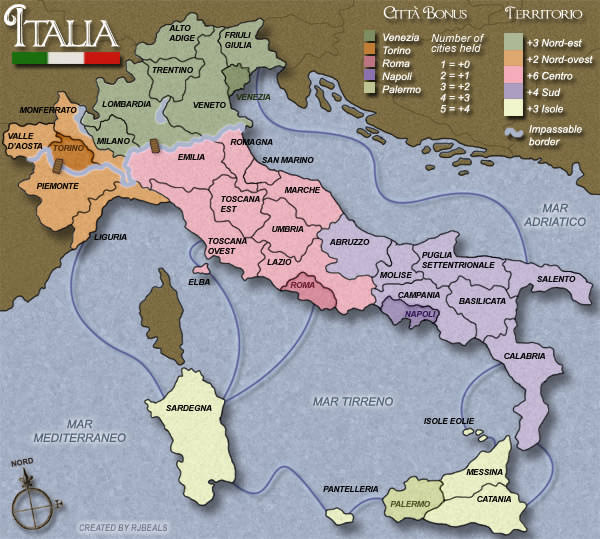
2010-02-20 02:34:59 - PROFITS: ok, this was the random map. i was trying to remember why the hell i would use this map. i hate this map. gl anyways. thanks for joining
2010-02-20 03:08:41 - jj3044: lol gl folks
2010-02-20 04:20:55 - merch313: lol... gl all
2010-02-27 19:48:38 - jackal31: grrrr....i knew i should have attacked with my stack
2010-03-03 16:52:13 - KuchTheWiser: bs 9vs4 and crap
2010-03-03 20:29:17 - jackal31: anyonomus gets an assist for taking me out....still cant figure out why he hit my 9 stack
2010-03-05 01:40:26 - PROFITS: gg pink
2010-03-05 02:48:55 - jj3044: gg erland
2010-03-06 18:12:44 - merch313: haha damn i messed up LMAO
2010-03-09 03:41:54 - jj3044: aww what a nuke
2010-03-10 13:42:02 - KuchTheWiser: get yellow
2010-03-10 23:10:02 - merch313: gg Kuch
2010-03-13 16:32:16 - jj3044: gg orange
2010-03-13 17:24:10 - jj3044: gg
2010-03-13 17:29:31 - merch313: gg everyone