Help
Play States
Play By Clickable Map
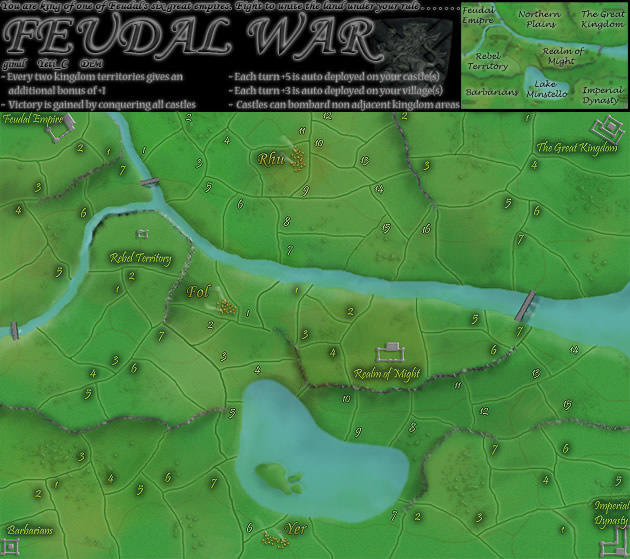
Deploy: Click on territory to deploy, choose number to deploy and click again to make deployment
Assault: Click on a territory to Assault from, then on a territory to Assault (right click to Auto Assault)
Advance: Click on conquered territory to choose to advance, choose number to advance, then click again to advance. Click on conquering territory to advance zero.
Reinforce: Click on a territory to Reinforce from, then on a territory to Reinforce to. Click again to confirm.
Play By Keyboard and Mouse
N Key: Skip to next game, Jump to next game
B Key: Begin Turn
E Key: End Deployment, End Assaults, End Reinforcement
L Key: Later (decline to play spoils)
W,S Keys: Increase/decrease troop quantity (slow)
Q,A Keys: Increase/decrease troop quantity (fast)
Mouse Wheel: Change troop quantity by scrolling over the selected region.
CTRL Key + Click: You can always use CTRL-click instead of the right mouse button.
Middle Click: To advance to next stage (Begin Turn, End Assaults, etc.) click the middle mouse button anywhere on the map.
2010-04-25 17:13:09 - concrete: thanks for playing Harry
2010-04-25 17:15:59 - FATHARRY: sure thing buddy - anytime
2010-04-25 22:26:30 - FATHARRY: ah! the dice finally got cool :-)
2010-04-25 22:26:40 - FATHARRY: had to happen eventually
2010-04-25 22:26:46 - FATHARRY: maybe too late for me - we'll see
2010-04-25 22:28:18 - FATHARRY: mmm
2010-04-25 22:28:24 - FATHARRY: that lst man decided it
2010-04-25 22:28:27 - FATHARRY: gg crete
2010-04-25 22:32:28 - concrete: damn dice
2010-04-25 22:33:27 - FATHARRY: well, your dice sure were hot for the first few rounds
2010-04-25 22:33:38 - FATHARRY: just evening out now :-)
2010-04-25 22:35:20 - FATHARRY: not quite enough though, lol
2010-04-25 22:36:44 - FATHARRY: thats it
2010-04-25 22:36:53 - FATHARRY: gg my friend
2010-04-25 22:38:26 - concrete: gg Harry
2010-04-25 22:39:12 - concrete: we need to double up again...no fog
2010-04-25 22:50:42 - FATHARRY: sure