The bonus values generated by the spreadsheet seem pretty good too...
Moving along nicely... Keep up the good work



Moderator: Cartographers

Thanks Mr. Benn! That kind of statement I was kinda hoping might have something... attached to it.MrBenn wrote:I can;t see any issue with the drop probabilities - all the areas have substantially lower than 10% chance of being dropped.
The bonus values generated by the spreadsheet seem pretty good too...
Moving along nicely... Keep up the good work


 I guess my question is, am I still missing something gameplay wise?
As I understand it, someone correct me if I'm wrong, in 1v1 games territories are divided by 3. One third goto the red player, the second third goes to the green player, and any remainder after that is neutral. For 43 territories it would split 14/14/14 plus 1 extra which would also be neutral.Danyael wrote:i believe that in 1v1 the territs are split even
so it makes me wonder
how will the game engine know to give the neut the extra?
will this be a problem is there a solution?
That was remiss of me...RedBaron0 wrote:Thanks Mr. Benn! That kind of statement I was kinda hoping might have something... attached to it.MrBenn wrote:I can;t see any issue with the drop probabilities - all the areas have substantially lower than 10% chance of being dropped.
The bonus values generated by the spreadsheet seem pretty good too...
Moving along nicely... Keep up the good work

No worries Mr. Benn, seriously, if I am missing something, please tell me, don't feel obligated to stamp me based on my statement of your statement. In any case, my humble thanks for your praise, which I am remiss for not expressing better earlier.MrBenn wrote:That was remiss of me...RedBaron0 wrote:Thanks Mr. Benn! That kind of statement I was kinda hoping might have something... attached to it.MrBenn wrote:I can;t see any issue with the drop probabilities - all the areas have substantially lower than 10% chance of being dropped.
The bonus values generated by the spreadsheet seem pretty good too...
Moving along nicely... Keep up the good work


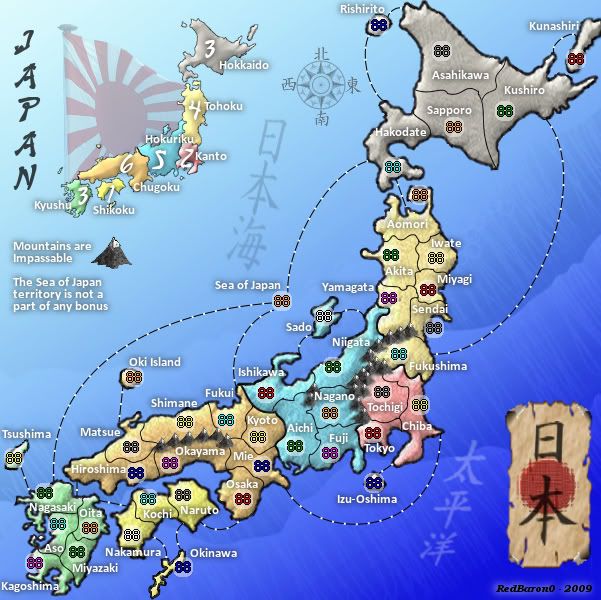
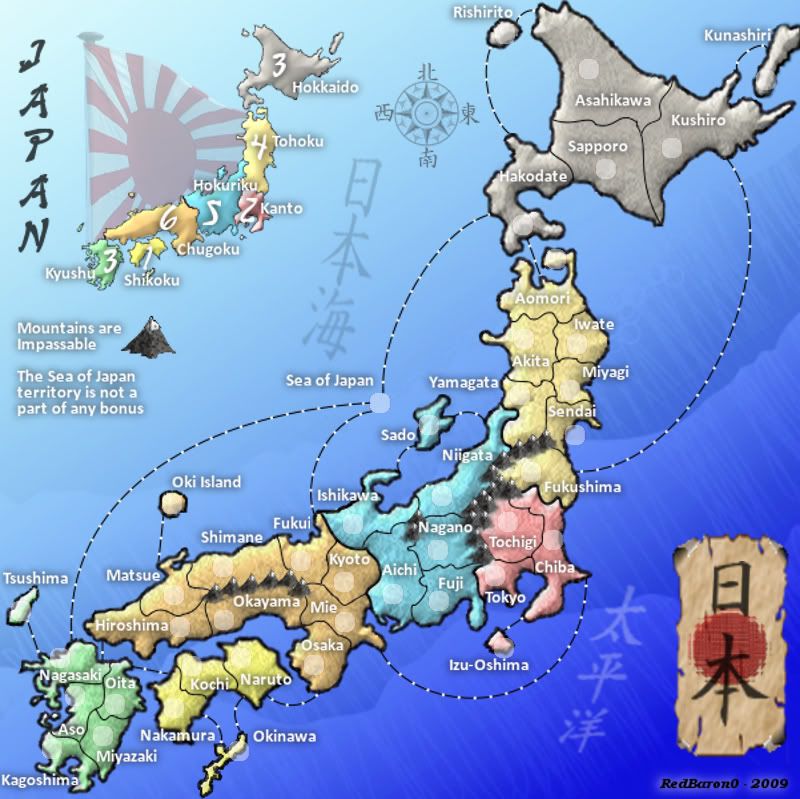

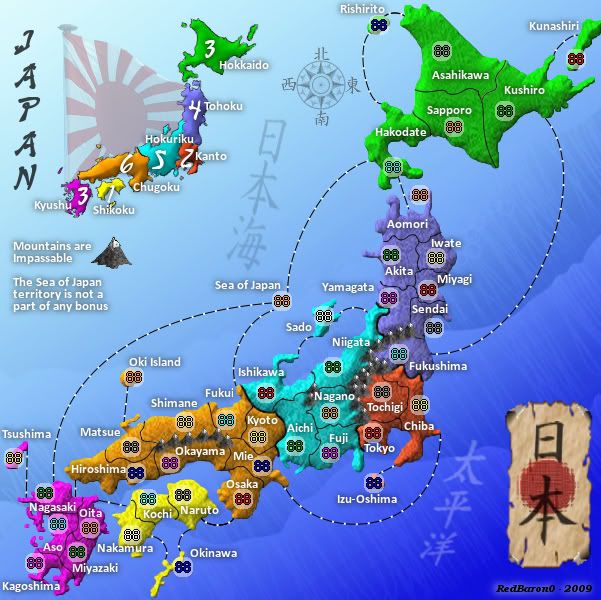
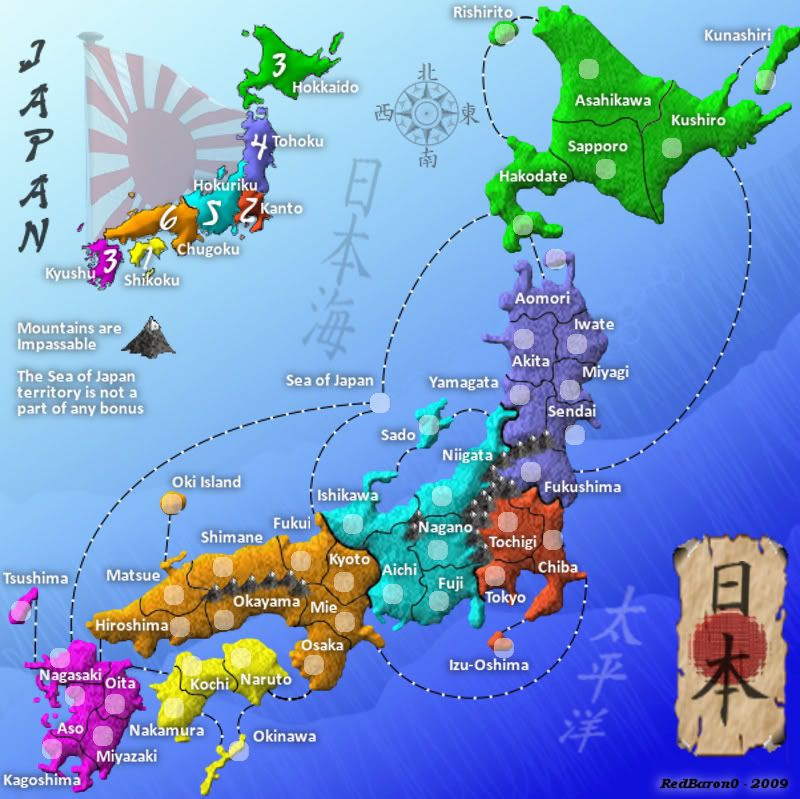
 Awesome,
 I don't miss the black line too much, but with this colour scheme, the whole map seems to be floating above the ocean. Perhaps some sort of shadow or bevel effect which continued the slope of the land at the shore out under the ocean would bring the map down to sea level. I don't know if you would want to have the colour of the land bleed into the water, or simply shade the existing ocean colour to get the effect.Industrial Helix wrote:Wow... brightness. I think you should desaturate the color some, though not to the levels they were before if you don't want. To be honest, I think the saturation levels were good the way it was two updates ago. As for removing the line around the whole map... I'm inclined to not like it, but i you think its a good idea then run with it. I think it just displaces the map on the blue background too much in the large map...
I don't have much hands on experience with GIMP or any other modern drawing software, but from a theoretical point of view, I think this has to do with how the program deals with adding or removing pixels when stretching or squashing a bitmap. Usually a decision is made somewhere to preserve black pixels vs. white pixels, or foreground vs. background. The texture you have on the territories that keeps them from looking like a flat patch of colour is the bitmap in question, and it looks like black pixels or foreground is the winner. If you think of the texture as grey paint sprayed on plastic wrap lying on your small map, and then you stretch it to cover your large map, it becomes more transparent and the underlying pure colour becomes more visible. (If you started with the large map, I guess you have to imagine using a heat gun to shrink the plastic and watching it get darker, like those Shrinky-Dink crafts my kids like to make.) So I guess you have to compensate in the texture for the change in size.Industrial Helix wrote: Something is going on with your large version... like the darker tones that are in the small map loose their darkness when in the large map. Because the lack of line doesn't seem to affect the small map in my eyes, just the large one.
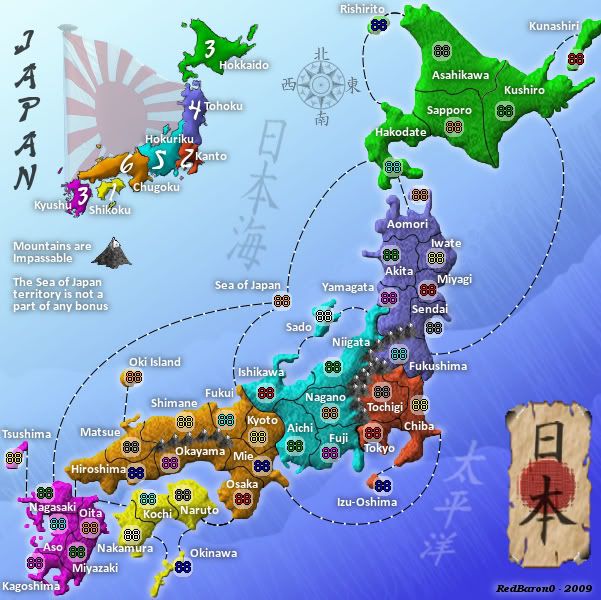
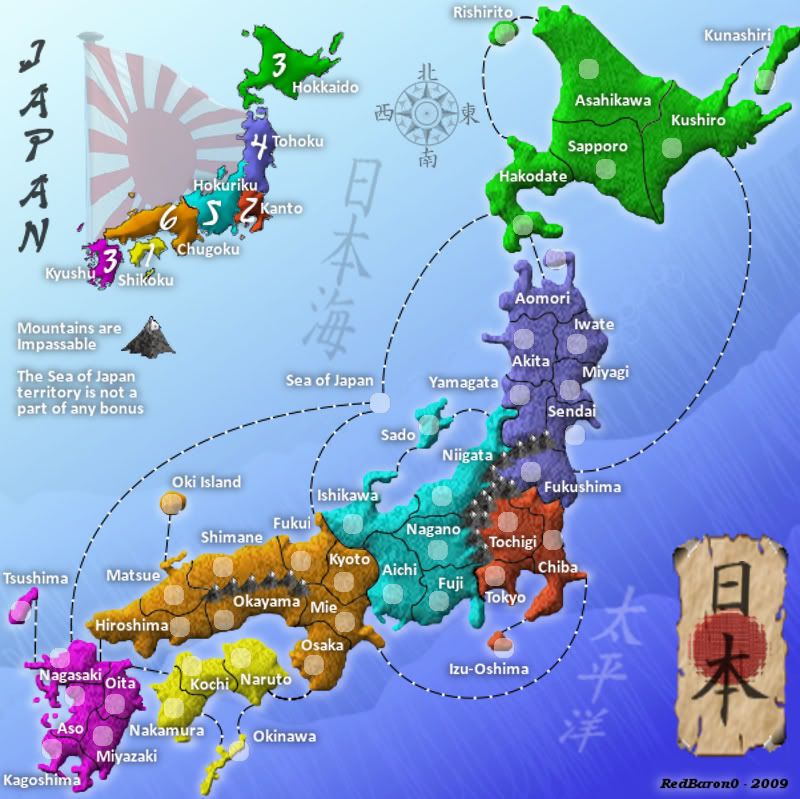
 and moved Shikoku over to the left a little bit
 ) With the start of the school year I'll be putting more time into my work as a teacher, so progress on this map will slow down, but WILL continue.
 GIMP doesn't (to my knowledge) have a color burn set. It does have a dodge/burn brush, that darkens all aspects of a color, I can fiddle with which types of colors it targets(highlights, midtones, shadows) but I'm guessing it not the same as the Photoshop's color burn tools. I'll check out what I can do with Photobucket.porkenbeans wrote:check your transfer modes. Do you have any color burns set ? the richness of the color is still way to high. Photobucket has an editing room, that is very easy to use. you can go there and play with the contrast and saturation levels quickly and easily.
What exactly do you mean by, be wary ? and why.MrBenn wrote:I'd be wary about exporting an image to photobucket in order to make amendments to things - you'd be much better off sticking to whatever functionality is in your graphics software (be that GIMP, Photoshop, or whatever).
From here, I would suggest focusing development on your large image, and leaving the small one for a while (other than occasional checks for legibility etc). A large map scales down a lot better than a small one scales up - which is why your large image looks so blurry right now.
The land textures don't really do much for me at the moment - primarily because you've got a slight stylistic mish-mash going on... ie The map (textures and colours) doesn't blend well with the background - it doesn't look like they go together. I think you need to get some inspiration to direct your graphical vision - once you have in your mind what you hope to achieve, you'll find it easier to get there
In the meantime, you can do some work on your borders - I think the map would work better with an outline! RjBeals gave me some good advice - the premise of which is very transferable: http://www.conquerclub.com/forum/viewto ... 5#p1770213
Keep up the good work
If you're exporting a file (as a jpg, for example), then your layers will be flattened and lost. If you want to make additional changes to anything, then you'll have to remember to repeat the process again, as well as remembering exactly what alterations you made.porkenbeans wrote:What exactly do you mean by, be wary ? and why.