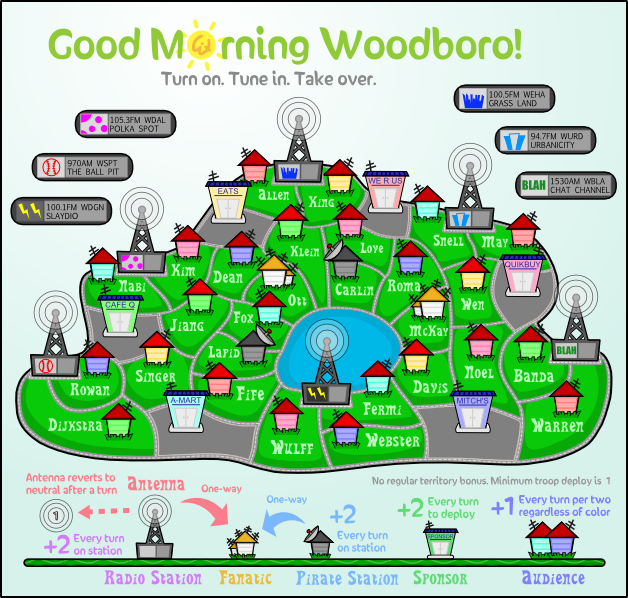
- Click image to enlarge.


Moderator: Cartographers




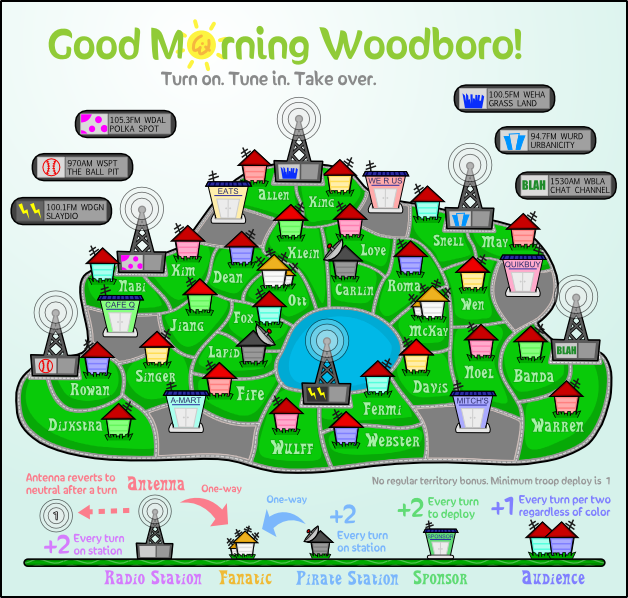
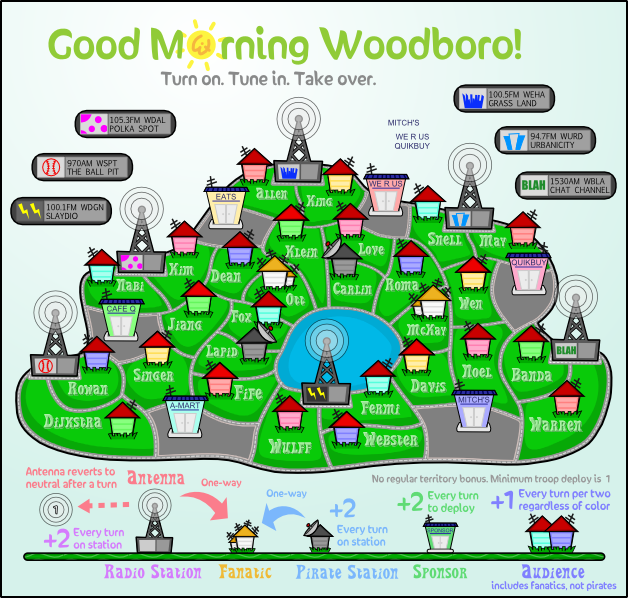
I agree. I actually think a lot of the text is a bit hard to read. Personally, I liked it better without the black outline... but I'm good either way.yeti_c wrote:Dijkstra - looks a bit like it's spelt Dijxstra
I also think that the outline has not helped the text. Try simply increasing the contrast, which I suspect means that you will have to make the text lighter, as the green background is a good colour now.carlpgoodrich wrote:I agree. I actually think a lot of the text is a bit hard to read. Personally, I liked it better without the black outline... but I'm good either way.yeti_c wrote:Dijkstra - looks a bit like it's spelt Dijxstra
Even more contrast than the previous version (here)?ender516 wrote:I also think that the outline has not helped the text. Try simply increasing the contrast, which I suspect means that you will have to make the text lighter, as the green background is a good colour now.carlpgoodrich wrote:I agree. I actually think a lot of the text is a bit hard to read. Personally, I liked it better without the black outline... but I'm good either way.yeti_c wrote:Dijkstra - looks a bit like it's spelt Dijxstra
Well that version was better than the one with the black outline. What about that one you just referenced with a white outline on the text? Would that sharpen the edges of the text?Evil DIMwit wrote:Even more contrast than the previous version (here)?ender516 wrote:I also think that the outline has not helped the text. Try simply increasing the contrast, which I suspect means that you will have to make the text lighter, as the green background is a good colour now.carlpgoodrich wrote:I agree. I actually think a lot of the text is a bit hard to read. Personally, I liked it better without the black outline... but I'm good either way.yeti_c wrote:Dijkstra - looks a bit like it's spelt Dijxstra
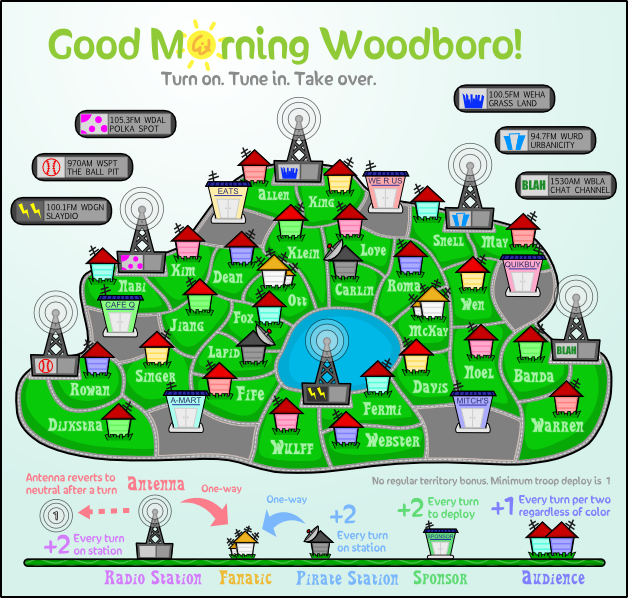
In which version? Light outline, dark outline, or no outline?yeti_c wrote:There is definitely something that's awkward with the colour of the text in the grass.
C.
I like the most recent one a lot. Looks fine to me.yeti_c wrote:I'm afraid to say - all of them...
C.
Well, I don't quite know how to fix this problem I'm not seeing, so do you have a recommendation?yeti_c wrote:I'm afraid to say - all of them...
C.
Isn't 1px width a little big considering the lines are less than 2px wide?natty_dread wrote:Try a bevel with 1px width and put it on overlay...


No, I literally couldn't get the plugin to work. I put the dll in the 'Effects' directory but the effect didn't show up when I restarted Paint.Net.natty_dread wrote:Were you using the "bevel selection" plugin? Because the normal bevel doesn't work for it, it only bevels rectangular areas, you need to use the "bevel selection" to do shaped bevels.